Deployment runtime controls
Even with a strong student policy, deployment quality is often limited by runtime interfaces. Use conservative execution defaults:
- smooth policy outputs before sending commands to hardware,
- enforce action clipping and rate limits,
- use explicit gripper command logic and state guards,
- track latency and dropped-frame behavior in perception pipelines.
Safety principle. Treat policy confidence as advisory. Hard safety checks should be independent and always active during deployment.
System identification stages
A practical SysID flow can be staged in three levels:
Stage 1: URDF and kinematic calibration
Align link dimensions, inertial parameters, and coordinate frames so simulated geometry matches hardware.
Stage 2: Actuator and control dynamics
Fit actuator behavior (latency, damping, gains, saturation) using replay traces from hardware trajectories.
Stage 3: Visual alignment
Match camera intrinsics/extrinsics, image timing, and observation preprocessing between simulation and real setup.
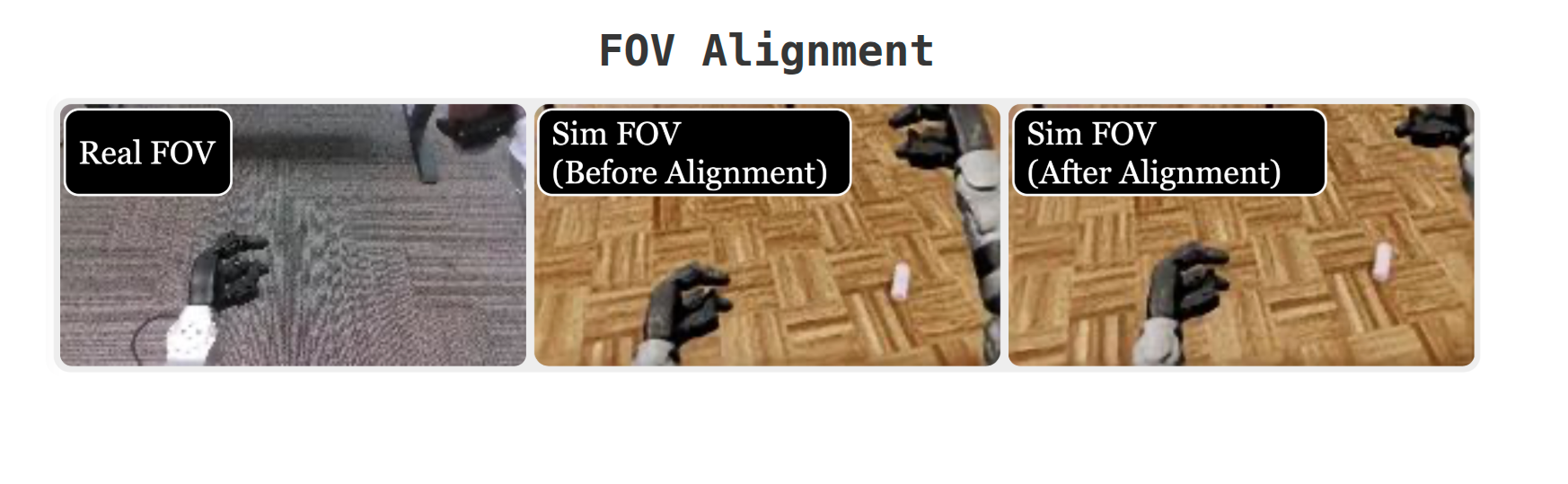
Recommendation. Iterate SysID in short loops with task-relevant trajectories rather than attempting one global calibration pass.
Validation and iteration loop
Use a staged validation protocol before full deployment:
- dry-run kinematic checks with low-speed commands,
- evaluate short-horizon task slices,
- log failures and replay in simulation,
- adjust randomization and calibration ranges,
- redeploy and compare metrics.
Keep a compact dashboard of:
- success rate by task phase,
- recovery rate after perturbation,
- command smoothness and saturation frequency,
- perception timing and dropped frame counts.
IsaacLab implementation placeholder
# TODO(aditya): SysID + deployment scaffold in IsaacLab

def calibrate_urdf_and_frames():
    # TODO: load hardware measurements
    # TODO: update robot model parameters
    return {"urdf_status": "TODO"}


def fit_actuator_dynamics(log_paths):
    # TODO: identify actuator delay/gain/damping from hardware traces
    return {"actuator_model": "TODO/path/to/model.json"}


def align_visual_pipeline():
    # TODO: camera intrinsics/extrinsics and preprocessing parity checks
    return {"camera_alignment": "TODO"}


def deploy_student_policy(student_ckpt):
    # TODO: runtime action smoothing + clipping + safety guards
    # TODO: telemetry logging for sim replay
    return {"deployment_run_id": "TODO"}